
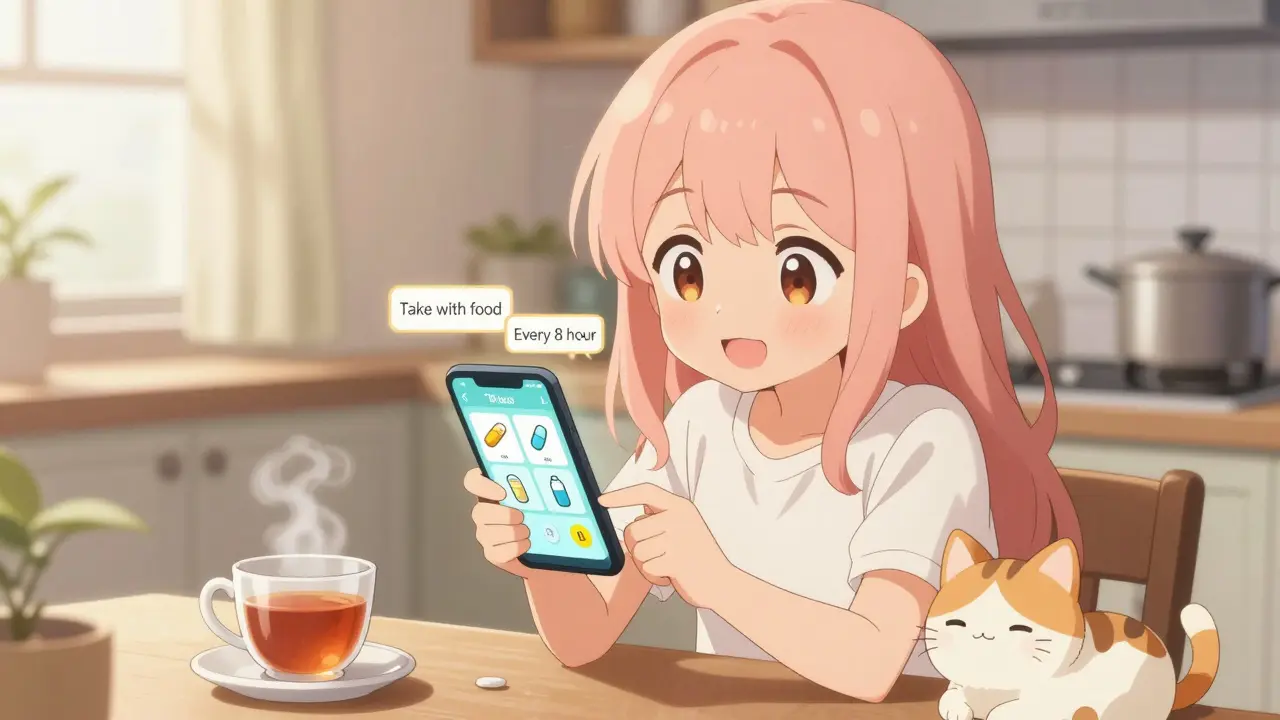
Getting your medication schedule right isn’t just about setting an alarm. It’s about reading the tiny print on your pill bottle and turning that into a daily routine that keeps you safe. Too many people miss doses, take pills at the wrong time, or stack medications that shouldn’t be taken together-all because the label wasn’t properly understood. The good news? You don’t have to guess anymore. Using the information on your prescription label correctly can turn your medication routine from a source of stress into something reliable, even automatic.
What’s Actually on Your Medication Label?
Your pill bottle doesn’t just have your name and the drug’s name. Every label is packed with instructions that tell you exactly how and when to take the medicine. The U.S. Food and Drug Administration (FDA) requires specific details to be clear and consistent. Look for these key pieces:- Dosage form: Is it a tablet, capsule, liquid, or patch? This affects how you take it and when.
- Active ingredient and strength: For example, “Metformin 500 mg.” This tells you what you’re taking and how much.
- Usage instructions: Phrases like “take one tablet every 8 hours” or “take twice daily” are direct scheduling clues.
- Food interactions: “Take with food” or “take on an empty stomach” matters. Taking a pill with food might prevent nausea or help your body absorb it better.
- Minimum time between doses: Some meds say “do not take more than once every 6 hours.” This isn’t a suggestion-it’s a safety rule.
- Drug interaction warnings: Labels may warn you to avoid certain other drugs, supplements, or even grapefruit juice.
These aren’t just guidelines-they’re medical instructions. Ignoring them increases your risk of side effects, reduced effectiveness, or even overdose. A 2023 NIH study found that nearly 8 out of 10 timing-related medication errors happen because these details are ignored when setting reminders.
Why Basic Alarms Fail
Most people start with a phone alarm: “Take pill at 8 AM, 8 PM.” Simple. But that’s not enough. If you’re on three different medications, each with different rules, a basic alarm system will get you into trouble.Imagine you take:
- Warfarin (blood thinner) - must be taken at the same time every day, no exceptions
- Atorvastatin (cholesterol pill) - best taken at night
- Metformin (diabetes) - must be taken with food, and you can’t take it within 2 hours of another drug
A simple alarm might remind you to take all three at 8 PM. But if you take Metformin at 8 PM and then your blood pressure pill at 9 PM, you could be breaking a critical interaction rule. That’s not just inconvenient-it’s dangerous.
Studies show that apps like Alarmy or basic reminder tools that ignore label details cause 63% more timing errors than systems that actually read the label. In fact, a 2023 FDA report linked 37.8% of overdose cases in people taking multiple medications to reminder systems that didn’t account for minimum dose intervals.
How Advanced Systems Use Label Data
Modern apps like Medisafe and MyTherapy don’t just beep-they analyze. They use optical character recognition (OCR) to scan your prescription label and extract the exact instructions. Then they convert those into smart schedules.For example:
- If your label says “take one tablet every 8 hours,” the app doesn’t just set three alarms. It spaces them out evenly across 24 hours-say, 7 AM, 3 PM, and 11 PM-to avoid waking you at 2 AM.
- If it says “take with food,” the app might suggest pairing the reminder with breakfast or dinner.
- If you’re taking two drugs that interact, like a blood thinner and an NSAID, the app will automatically stagger the times-say, 8 AM for one, and 8 PM for the other.
These systems pull from databases with over 150,000 medications and 500,000 known drug interactions. They’re trained on hundreds of thousands of real labels. One 2024 study in npj Digital Medicine showed OCR systems now read labels with 98.7% accuracy.
And the results? A 2023 review in the Journal of the American Medical Informatics Association found that patients using label-aware systems had a 23.7% higher adherence rate than those using basic alarms. Some advanced systems hit 82% adherence among people with chronic conditions.
What to Look for in a Reminder App
Not all apps are created equal. Here’s what to check before you download one:- Can it scan or manually input your label? The app should let you snap a photo of your pill bottle or type in the instructions exactly as written.
- Does it understand food timing? Can it set a reminder for “take with lunch” instead of just “12 PM”?
- Does it check for interactions? If you add two drugs, does it warn you if they shouldn’t be taken close together?
- Does it adjust for your schedule? Can it avoid reminding you to take a pill at 3 AM if you’re asleep?
- Is it connected to your pharmacy or EHR? Apps like MyChart (from Epic) or MyTherapy that sync with your doctor’s records are more accurate because they get data directly from the source.
Apps like Medisafe, which has over 2.5 million active users as of mid-2024, are designed specifically for this. They use standardized medical codes (RxNorm and SNOMED CT) to interpret labels the same way pharmacists do. That reduces confusion and errors.
When the Label Isn’t Clear
Here’s the catch: not all labels are perfect. A 2023 study in the Journal of the American Pharmacists Association found that over 22% of generic medications use vague or outdated wording like “take as directed” or “take regularly.” These are impossible for apps to interpret correctly.If your label is unclear, don’t guess. Don’t rely on the app to make it up. Call your pharmacist. Ask:
- “What’s the exact time between doses?”
- “Should I take this before or after meals?”
- “Is there anything I should avoid while taking this?”
Also, your doctor might have changed your schedule without updating the label. A Mayo Clinic study found that nearly 19% of patients need adjustments based on their personal health, lifestyle, or other conditions. That’s why the best systems combine label data with your doctor’s instructions.
Real People, Real Results
On Reddit, users in the r/medicationadherence community shared stories of how label-based apps changed their lives. One person wrote: “I was taking my blood pressure pill and diabetes pill at the same time every night. The app told me I needed to space them out by two hours. My A1C dropped from 8.1 to 6.9 in three months.”Another user on Trustpilot said: “It reads my labels and sets the right times. My doctor said I was doing better than most people my age.”
But there are failures too. One user on the Apple App Store complained: “It didn’t realize my antibiotic couldn’t be taken at 2 AM. I missed doses because it kept reminding me in the middle of the night.” That’s why the best apps let you edit the schedule manually-and why human oversight still matters.
What’s Changing in 2025 and Beyond
The rules are getting stricter. Starting in 2026, Medicare-participating health systems in the U.S. will be required to use reminder tools that accurately reflect label information. Big EHR platforms like Epic and Cerner are rolling out new modules in 2025 that automatically pull label data from your pharmacy records.AI is also getting smarter. In late 2024, the FDA approved the first system that uses computer vision to not only read your label but also confirm you actually swallowed the pill-using your phone’s camera. Early trials showed a 57% drop in missed doses.
By 2027, experts predict over 90% of medication reminder apps will include label interpretation as a standard feature. It’s no longer a luxury-it’s a safety requirement.
Your Action Plan
You don’t need to be tech-savvy to get this right. Here’s how to start today:- Take a photo of every prescription label on your phone. Keep them in a folder labeled “Medications.”
- Download a label-aware app like Medisafe, MyTherapy, or CareZone.
- Scan or manually enter each label exactly as written. Don’t skip the food or interaction notes.
- Check the schedule it creates. Does it make sense? Does it avoid 3 AM alarms? Does it space out interacting drugs?
- Ask your pharmacist to review it. They’ll spot things the app might miss.
- Update it every time your prescription changes. Even small dose changes matter.
Medication safety isn’t about remembering to take your pills. It’s about taking them the right way. Your label holds the key. Use it.
Can I just use my phone’s alarm app for medication reminders?
You can, but it’s risky. Basic alarms don’t account for food timing, drug interactions, or minimum dose intervals. A 2024 study found that generic alarm apps cause 63% more timing errors than systems that read your prescription label. If you’re on multiple medications or have a chronic condition, a label-aware app is far safer.
What if my prescription label is hard to read or uses vague language?
Don’t guess. Over 22% of generic drug labels use unclear phrases like “take as directed.” Call your pharmacist and ask for clarification: “What’s the exact time between doses?” or “Should I take this with food?” Always confirm instructions with a healthcare professional before trusting an app’s interpretation.
Do I need to pay for a medication reminder app?
No. Apps like Medisafe, MyTherapy, and CareZone offer free versions that include label scanning and interaction checks. Premium features like EHR syncing or advanced reporting may cost money, but the core label-based reminder functionality is free. Avoid apps that charge just to set alarms-those aren’t built for medication safety.
Can medication reminder apps replace my pharmacist’s advice?
No. Apps are tools, not replacements. A 2024 Consumer Reports analysis found that 14.3% of digital medication errors happened when people trusted automated systems too much without checking with a pharmacist. Always have your pharmacist review your schedule, especially if you’re taking five or more medications.
How do I know if my app is interpreting my label correctly?
Compare the app’s schedule to your label. If your label says “take every 8 hours,” the app should space doses evenly (e.g., 7 AM, 3 PM, 11 PM). If it says “take with food,” the reminder should be tied to a meal, not a clock time. If the app suggests taking two drugs 30 minutes apart but your label says “2 hours apart,” it’s wrong. Double-check with your pharmacist.
siva lingam
January 24, 2026 AT 18:40lol so now my phone needs to be a pharmacist too
Alexandra Enns
January 25, 2026 AT 13:01Ugh this is why Canada’s healthcare system is better - we don’t need apps to tell us how to read a label. Your pharmacist literally writes the instructions in plain English and follows up. This whole ‘OCR scanning’ thing is just Silicon Valley over-engineering a problem they created by making pills look like candy packaging.
Also, who the hell takes a photo of their pill bottle? That’s not a hobby, that’s a red flag. I’ve been taking warfarin for 12 years and I still remember the damn schedule because I’m not an idiot. Apps don’t make you safer - awareness does. And awareness doesn’t come from a notification that says ‘take your blue pill’.
And don’t get me started on ‘spacing doses to avoid 3 AM alarms’. What, you’re too lazy to wake up once a night? My grandma took four meds at midnight because that’s when the doctor told her to. She didn’t need an app to tell her not to sleep through it. She had discipline. Now we’ve turned medicine into a video game where you earn points for not dying.
And 98.7% accuracy? That’s still 1 in 8 labels misread. One misread interaction and you’re in the ER. I’d rather read the damn label myself than trust an algorithm trained on 150,000 meds but zero human context.
Also, ‘take with food’? What food? A banana? A burrito? A protein shake? The label doesn’t say. The app doesn’t know. The pharmacist does. Why are we outsourcing common sense to a startup?
And let’s not pretend this is about safety. It’s about monetizing fear. ‘Download our app or you’ll overdose!’ That’s not healthcare - that’s a scare tactic with a subscription model.
My phone has a calculator. It doesn’t tell me how to do math. My pill bottle has instructions. I don’t need a robot to translate it for me.
And if your label says ‘take as directed’ - call your doctor. Not your phone. Not your app. Your. Doctor.
This whole post reads like a TED Talk written by a venture capitalist who’s never held a pill bottle in their hand.
Marie-Pier D.
January 26, 2026 AT 22:22OMG I just downloaded Medisafe after reading this and scanned my labels 😭 I had no idea my blood pressure med and my vitamin D were supposed to be 4 hours apart!! My app was making me take them together at 8pm 🤦♀️ Thank you for this!! I feel so much more in control now 💙
Don Foster
January 28, 2026 AT 05:26Most of this is common sense but you’ve turned a simple act of reading into a fucking industry
OCR is overkill when you can just look at the damn thing
And why are we pretending this is new
Pharmacists have been doing this since 1950
App makers just slapped a UI on it and called it innovation
Also 2.5 million users? That’s less than 0.01% of Americans on meds
Most people still use Post-its
And that’s fine
Karen Conlin
January 30, 2026 AT 02:33This is life-changing for so many people - especially seniors, caregivers, and those managing multiple chronic conditions. I’ve helped my mom set up MyTherapy and now she actually remembers when to take her diuretic after lunch instead of right before bed. No more midnight bathroom trips. No more confusion. No more guilt. And yes - she calls her pharmacist to double-check. That’s the key: tech + human. Not tech instead of human. You’re not replacing the expert - you’re empowering the patient. And that’s how real healthcare works.
If you’re skeptical, try it. Just scan one label. See how the app schedules it. Compare it to the text. You’ll be shocked. I was.
Patrick Gornik
February 1, 2026 AT 01:20Let’s deconstruct the epistemology of pharmaceutical compliance
The label is not a text - it’s a signifier of institutional authority
When you scan it with OCR you’re not reading - you’re performing a ritual of technocratic submission
The app becomes the new priest
It doesn’t matter if it’s accurate - what matters is that you believe in its sacrament
And yet the very act of scanning implies a failure of agency
You’ve outsourced your responsibility to a binary system that cannot comprehend the existential weight of a pill
Is it medicine or is it a performance of compliance?
The FDA mandates clarity - but clarity is not truth
Truth is in the body’s reaction
Not in a database of 500,000 interactions
So yes - use the app
But never forget - the pill doesn’t care about your schedule
It only cares if you swallow it
Viola Li
February 2, 2026 AT 21:42So you’re telling me I need a $50/month app to read a piece of paper? What’s next - an AI that tells me how to tie my shoes?
And ‘take with food’? That’s not a medical instruction - that’s a common sense rule. If you don’t know that, maybe you shouldn’t be taking meds at all.
This whole thing feels like a scam to get people addicted to digital tools for things that require zero technology.
venkatesh karumanchi
February 3, 2026 AT 06:48Actually this is beautiful. I’m from India and my dad takes 7 pills daily. He can’t read small print. We took a photo of his labels and used Medisafe. Now he gets a voice reminder in Hindi. He says it feels like his granddaughter is reminding him. No more missed doses. No more arguments. Just peace. Tech isn’t perfect - but it can be kind.
Vatsal Patel
February 4, 2026 AT 21:45Wow so now we need AI to tell us not to take pills at 2am because we’re asleep
What’s next
AI that tells us not to breathe while sleeping
And you call this innovation
Meanwhile in India people use alarm clocks made of bamboo and still take their meds on time
Maybe the problem isn’t the label
Maybe it’s the laziness
or the entitlement
or the fact that we’ve turned every human task into a tech problem
Izzy Hadala
February 5, 2026 AT 02:51While the utility of label-aware medication reminder systems is empirically supported by peer-reviewed literature, one must critically evaluate the ontological implications of algorithmic health governance. The normalization of pharmaceutical compliance via digital intermediaries may inadvertently erode patient autonomy by externalizing cognitive responsibility. Furthermore, the reliance on proprietary OCR models trained on non-representative datasets introduces potential epistemic bias. A longitudinal study comparing adherence outcomes between label-aware apps and pharmacist-led counseling would be a valuable next step in this domain.
Elizabeth Cannon
February 6, 2026 AT 16:12i just tried the medisafe app and holy crap it told me my blood thinner and my ibuprofen cant be taken together?? i had no idea. i’ve been doing it for years. thanks for this. also the app spelled my name wrong but i dont care bc it saved me from a stroke lol
Marlon Mentolaroc
February 7, 2026 AT 01:08Let’s be real - most of these apps are garbage. I used one that thought ‘take as needed’ meant ‘take every 4 hours’. I ended up doubling my dose. Took me 3 weeks to get my doctor to fix it. The app didn’t warn me. The app didn’t care. It just beeped. So yeah - use it if you want. But don’t trust it. Always double-check. Always. The label is your friend. The app? Just a noisy neighbor.
Gina Beard
February 7, 2026 AT 10:34Labels are not designed for machines. They’re designed for humans. If you need an app to understand ‘take with food’, you’re not the problem - the system is.
Phil Maxwell
February 8, 2026 AT 00:52I use CareZone. It’s free. I scan my labels. It reminds me. Sometimes I forget anyway. But now I have a log. My doctor sees it. We talk about it. That’s it. No magic. Just a tool. Works for me.
Shelby Marcel
February 9, 2026 AT 07:21wait so if my label says ‘take with food’ does that mean i can take it with a donut?? i need to know bc i love donuts and my meds are kinda gross